
An electronic signature, aka eSignature, is in full demand in today’s digital world. Electronic signatures made every workflow easy, fast, and convenient. Hence, every industry worldwide has transitioned to the best digital document management system.
EDMS supports automating document management with integrated eSignatures. Post-Corona pandemic, businesses have accepted digital-first solutions like electronic signatures. As a result, companies upgraded their wet signatures to electronic signature via a leading platform, i.e., eSigns.
Wondering how to create an electronic signature online? This blog has got you covered. Here, we are discussing the best digital signature software, benefits, steps to create eSignatures with eSigns EDMS, and some use cases for various industries.
What is eSigns Electronic Signature Software?
eSigns electronic signature software is a secure, reliable, and digital platform to sign documents online. With eSigns eSignatures, companies can replace the traditional way of signing contracts on paper.
Users can affordably sign contracts within deadlines and experience faster deals with eSignature. This small feature of the cloud-based platform eSigns plays a crucial part in documentation.
Key Benefits of eSigns eSignature Software:
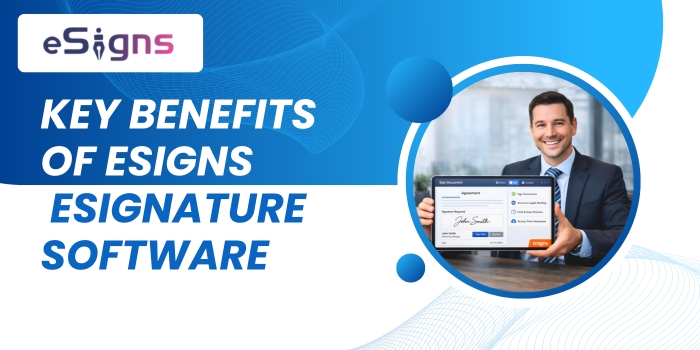
No matter whether your documentation is small or big, an electronic signature software makes paperwork easy! With eSigns’ eSignature software, customers and stakeholders can create and sign documents online in seconds.
Companies can customize the electronic signature solutions as per the requirements across departments. There are various advantages of eSign documents software. The following are some of them:
- Easy Digital Signing Workflows
Documents created and uploaded to the eSigns platform can be signed electronically by signers and sent to others in minutes via Get Link.
- Secure and Legally Compliant
eSignatures are secured and legally valid compared to traditional document signing. It comes with 2FA, encryption, signer verification, and audit trails.
eSigns online signature software supports compliance acts like the eSign Act & eIDAS for great security.
- Flexible, Accessible, and Remote-friendly
Users can easily access and sign documents online from anywhere and any device with eSigns’ electronic document management system.
- Quick Turnaround Times
Easy and fast delivery with an eSignature document management system.
- Affordable and Eco-friendly
eSigns eSignature document management software is affordable. Additionally, eSign software is designed to save trees as it reduces paperwork.
How to Create Electronic Signatures with eSigns?
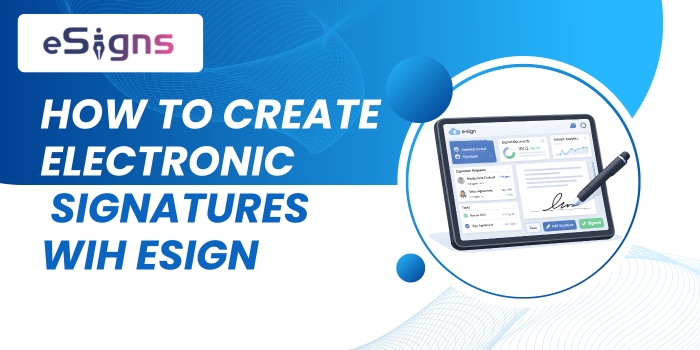
A Step-wise Guide:
According to industry standards, there are several online platforms that support creating electronic signatures. eSigns is one of the cloud-based platforms that help you create an online signature.
It is easy, safe, and secure to use anywhere in the industry by following a few simple guidelines. The following stepwise approach will guide you on how to create electronic signatures with eSigns.
Step 1: Log in to your eSigns account
Firstly, visit the eSigns.io website in a new tab or window on your browser. To sign up, fill in the basic details and follow the instructions mentioned on the screen.
After successful signup, create and enter your login credentials to log in safely whenever required.
Step 2: Upload Documents for eSignature
Once you’ve logged in to the eSigns platform, go to the document creation or uploading section. Now, create or upload the required document that needs your eSignature.
If you’re ready with the document in PDF, Word, and Excel formats, click on the upload button. Finally, your documents get saved on the eSigns platform for further processing.
Step 3: Adding ‘Signature Fields’
Next, you can add a signature field in the document in the required positions. You can create and save your signature via typing, drawing, or uploading a scanned signature image.
Choose the option that best suits your needs and follow the on-screen instructions to create your signature.
You can even add signature fields by dragging or clicking on the “Add Signature Field” button available on the right side of the dashboard.
Step 4: eSigns Documents
Now, sign documents online as per the best possible approach before sending it to the receivers. Signing electronically is quite simple, secure, and convenient.
After the document signing via eSigns electronic signature software, please save it in the centralized digital repository.
Step 5: Document Sharing via Bulk Send
The final step includes sending the documents to the relevant users. Prepare the list of required recipients and add the list before clicking on the Bulk Send option.
You can then choose to download a copy of the signed document or send it directly to the recipient via email.
eSigns for Various Industries: AI Automation Workflows with Digital Signatures
Today, most sectors are shifting to cloud-based platforms for an affordable, useful, and scalable document management process. Globally, businesses are adopting digital document management and advanced eSignature software, like eSigns.
It helps companies to meet global digital norms and improve business operational efficiency. eSigns electronic signature softwaresupports various industries with compliant-ready eSign documents solutions.
There are different eSign Use Cases for various sectors. You can have a glance at the Top 5 Use Cases of eSignature in Various Industries – eSigns, via our ultimate blog link.
Conclusion:
Finally, adopting eSigns’ electronic document management system helps companies switch to paperless workflows. Moreover, it reduces expenses, boosts deal closures, and sustains global digital standards.
eSigns.io’s flexible, scalable, industry-ready workflows with digital signatures accelerate approvals and expand businesses’ productivity. Hence, creating an electronic signature with eSigns’ cloud-based platform helps industries sign documents online with robust security.
To explore deeper into an eSigns online signature software and document management system, visit our blog page or take your free demo now.
Frequently Asked Questions:
1. Is eSigns’ eSignature solution customisable for any organization?
A: Yes, eSigns’ secure digital signature solutions are tailored for any organization that aims to digitize their document workflows and traditional signing.
2. What do eSigns’ digital signatures support the industries?
A: eSigns’ cloud-based document management system offers secure electronic signatures for industries such as Staffing, Hospitality, Healthcare, Education, Finance and Banking, Logistics, Manufacturing, Insurance, and others.
3. How to design an electronic signature?
A: Designing an electronic signature is easy and affordable with online eSignature tools like eSigns. Simply upload or create a document and type, draw, upload, or drag-and-drop your signature in it. Further, it verifies your authenticity and approves your digital signature in seconds.
4. Is eSigns’ eSignature free?
A: eSigns doesn’t offer a completely free plan, but you can start with a 30-day free trial to explore all eSignature and document workflow features. Furthermore, you can select the best plan according to your custom features and budget. Visit our eSigns Pricing Plans page for a clear idea.