
Traditional document signing procedures slow down business productivity. However, adopting modern solutions such as document workflow automation and digital signature software improves operational efficiency and productivity.
Switching to a modern electronic document management system helps users to create, manage, send, store, and eSign documents or Sign Documents Online in one place. Moreover, online document signing streamlines manual document signing and saves time for priority workflows.
As a result, businesses can sign documents online for free, speed up approvals, and reduce printing and scanning costs with electronic signature software like eSigns.io.
In today’s blog, we’ll learn how to sign documents online using eSignature software for business contracts, agreements, or personal documents.
How to Sign Documents Online with eSignature Software?
Using digital document management integrated with an online signature software like eSigns, everyone can instantly sign a document online without any technical skills.
The following is the step-by-step process to sign online documents:
Step-1: Upload your document
Firstly, users need to visit the electronic signature software and choose to create or upload a document (supports PDF, DOC / DOCX, PNG, TXT) into a platform like eSigns.io.
Step-2: Add signature or choose a style
Add your signature to the document as per your choice via typing, drawing, or uploading your signature.
Step-3: Place signature in required fields
Next, drag-and-drop the signature field in the file wherever required and place your signature to sign a document online.
Step-4: Download or share the document
After signing the document online, you can download or share it instantly with others.
Key Features of Signing Documents Online using eSigns Electronic Signature Software
To make your signing documents online easy, fast, and secure, eSigns’ eSignature software is the go-to solution. It comes with smart electronic signature features that help both individuals and businesses sign documents online for free.
Excited to know what the electronic document management system features are! Let’s dive in:
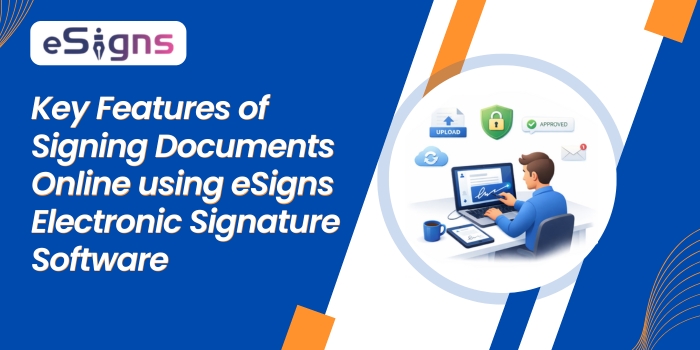
- Supports multi-format uploading: Ensures uploading your documents /contracts /agreements in various formats such as PDF, DOC / DOCX, PNG, TXT, etc.
- Various signature options: Allows adding an eSignature in three different methods, such as typing a name, drawing your signature, and uploading your signature image
- Strong cryptography and data privacy: Online signatures via electronic signature software are securely encrypted and authenticated. Also, protect from unauthorized access via audit trails.
- Multi-user signing: Provides controlled access to multiple users via secure authentication, such as OTP, email verification, before signing documents online.
- Cloud storage & document access: Stores all signed documents in a centralized digital repository with a unique ID for secure document access.
As a result, companies can securely and efficiently eSign documents online with a modern digital signature software.
Essential Benefits of Free Online Document Signing Software – eSigns.io
For individuals and businesses, adopting free online document signing tools like eSigns.io simplifies everyday document signing tasks effortlessly.
Have a glance at the key benefits of online signature software below:
- Reduced turnaround times & faster approvals: Send and sign documents online in seconds without delays.
- No printing or scanning required: Electronic signature software automates everything digitally, no more manual printing or scanning of documents.
- Cost-effective & paperless: Cuts operational costs and becomes eco-friendly.
- Access from anywhere (remote work): Anyone with authorized access can sign documents anytime from any location digitally.
- Better document tracking: Provides a real-time monitoring experience of document status and approvals.
Discover more advantages of online document signing services and sign documents online for free with eSigns.
Why Choose eSigns.io for Online Document Signing?
After understanding how to sign documents online using eSignature software, it’s time to implement it. Selecting the best & secure online document signing tool like eSigns.io helps businesses improve productivity.
eSigns offers complete electronic document management solutions with smart & advanced features such as:
- User-friendly: Easy to use for anyone, from beginners to professionals, without technical skills.
- Faster than traditional tools: Allows managing and signing documents online quickly and easily.
- Compatible on all devices: Sign contracts anytime, anywhere, from any device, like mobile, tablet, or desktop.
- Ideal for business & personal use: Suitable for contracts, agreements, HR documents, and more.
- Highly secure: All electronic signature types provided by eSigns are secure with strong encryption and authentication techniques.
With its advanced digital document management features, eSigns’ eSign guide 2026 helps modern businesses choose a reliable solution to improve operational efficiency.
Conclusion
Now, everyone can easily manage and sign documents online with electronic signature software. Try eSigns.io online document management and eSignature software to streamline document workflows digitally and boost productivity.
Whether you’re running small or large-scale businesses, an online document signing service helps reduce approval delays, save time, and guarantee secure document management.
FAQs
How to sign a document online?
Signing a document online is done in a few simple steps. Simply, upload your file, add/create your signature, place it in the required signature fields, and download or send it.
How do I sign a PDF document online?
With a digital signature software, create/upload the document, add a signature, and easily sign a PDF document online.
How to electronically sign a document online?
Using the electronic signature software like eSigns.io, you can electronically sign documents in three methods, i.e., draw, type, or upload your signature.
Is signing documents online secure and safe using eSigns software?
Yes, eSigns online document signing service is secure as it uses strong encryption and authentication techniques to protect your data.