
Globally, businesses are embracing digital transformation and streamlining operations efficiently & effectively. During this transformation, you may encounter new terms like “eSignatures,” “online signatures,” “eSignature”, etc. If yes, then that’s a sign to learn what they mean.
No worries, eSigns comes with an ultimate guide, i.e., “What is eSignature and how does it work,” which covers everything you are looking for. Let’s explore the definition, how it works, how to create, and the types of electronic signatures from here.
What is an eSignature?
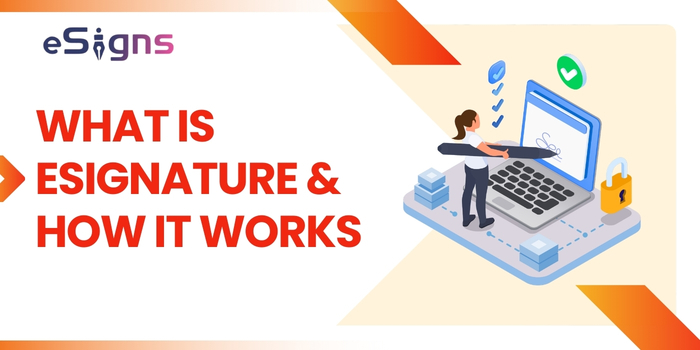
- An eSignature is a digital form of your traditional signature used to indicate the agreement or approval of the document. It is also known as an ‘electronic signature’ or ‘eSign.’
- eSignatures are executed electronically in various forms without compromising on security and validity. It adheres to highly secure cryptographic techniques.
- Based on the high recognition of electronic signatures across the globe, various sectors are moving to eSign technology to sign documents online.
Let’s move to the next section, where you can learn how electronic signatures work.
How eSignatures Work?
Awareness of how eSignatures work is important for everyone before implementing them in everyday business workflows. Actually, the working process of eSignature breaks down into three major segments:
- The creation of the signature
- The signing process
- The core technologies to make it secure
Let’s get a deeper knowledge of each component and experience the eSignature services in your business operations.
The Creation Process | How to Create a Free eSignature Online?
If you want to sign documents online, then choosing the best eSignature software is very important. Top eSignature online apps, like eSigns, offer creating a digital signature online in various ways:
- Handtyping the Name: By typing your name in the eSignature software. It enables signers to type the name, save, and convert the signature into a unique graphic representation. With the help of the easy drag-and-drop feature, you can drag your signature field into your document and sign via handtyping.
- Drawing the Signature: With the help of electronic signature tools, you can draw your signature via mouse or touchscreen on your gadget and save it for further document signing.
- Image Uploading: Signers or users can avail the option, i.e., ‘Upload an Image,’ in the eSignature online app. By using that feature, you can picture your handwritten signature and upload it as an image to give a personal touch.
The Signing Process | How to Sign PDF Documents Electronically?
The next important component is e-signing the document. After successful creation of an electronic signature, follow this document signing process using eSigns 30-day free eSignature software:
- Firstly, upload or create a document on the eSignature online app.
- Drag-and-drop the signature field correctly within the document, along with other important fields like personal details, date, etc.
- Once the document is ready, recheck and sign the document online.
- Finally, the document is signed and executed. By default, it generates a unique digital log for comprehensive auditing.
Core Technologies Powering Secure eSignature:
Secure authentication approaches help businesses to validate the authenticity of electronic signatures.
Encryption: The encryption security feature plays a major role in securing an eSignature. It encodes the data and signature in the document for authorized access.
eSigns electronic signature software uses the PKI technique and creates a unique hash with a private key. The hash value changes when the document gets modified after signing. Hence, encryption is a secure and trusted eSignature security feature.
Authentication: Authentication indicates the identity of the signer. eSigns secure electronic signature online tool uses robust authentication techniques, such as digital certificates by CA (an additional layer of trust) and audit trails (a detailed log of the signing process).
Verification: One more step that powers eSignatures as secure is verification. It is the process of confirming the signer’s identity. eSigns’ eSignature solutions use various verification methods, like email verification, two-factor authentication (2FA), and identity checks.
By incorporating such stronger security measures, your eSignatures are reliable and legally binding with compliance. As a result, it boosts efficiency, comfort, and confidence in digital transactions.
Different Types of Electronic Signatures
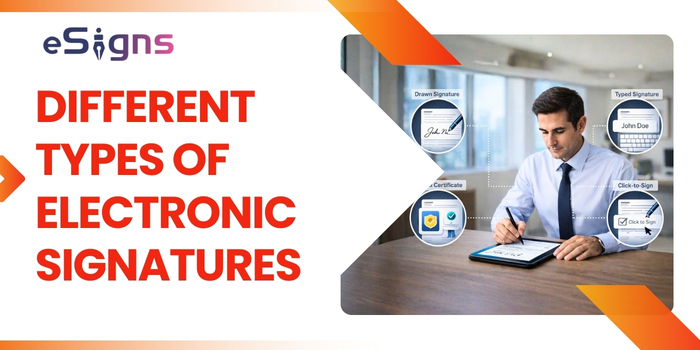
The three different types of eSignatures defined by eIDAS (Electronic Identification, Authentication and Trust Services) regulation are:
- Simple Electronic Signature (SES)
- Advanced Electronic Signature (AES)
- Qualified Electronic Signature (QES)
Continue your reading for brief information about the different types of eSignatures:
- Simple Electronic Signature (SES): This type is the basic form of eSignature, where an individual intends to agree, which means clicking on ‘I accept.’ It’s easy but comes with fewer security features. Hence, it fits best for low-risk documents.
- Advanced Electronic Signature (AES): One of the safest eSignature types is AES. It verifies the signer’s identity and safeguards the paper from being modified after e-signing. For businesses that require higher trust and proof while signing legal documents, the AES electronic signature type is the go-to option.
- Qualified Electronic Signature (QES): It is the most secure and legally valid type of eSign, which is equivalent to a handwritten signature under the law. QES uses a digital identity verification certificate for highly confidential and regulated documents.
Why Choose eSigns Electronic Signature Software?
It is important to choose the best eSignature software for a smooth signing process. So, going for the eSigns eSignature services is the strategic move for businesses. It has advanced solutions that help companies improve efficiency and approvals.
- User-friendly: eSigns electronic document management system is easy to use and flexible for all types of business sizes. It allows both signers and administrators to utilise it without any skills.
- Easy Integration: Companies can easily integrate the eSigns eSignature online tool with other business tools such as document management systems, CRM, HR, and other cloud storage apps to simplify workflows.
- Security: eSigns’ free eSignature software comes with robust security solutions like encryption, 2FA, and audit trails to maintain document integrity and confidentiality.
- Compliance: eSigns’ eSignatures are legally binding, as they comply with local regulatory acts like eIDAS, the ESIGN Act, HIPAA, GDPR, and the IT Act 2000.
- Collaboration: Our eSign online document management software allows stakeholders and multiple parties to collaborate in parallel to review, edit, and manage a document.
- Mobile Accessibility: eSigns.io digital document management integrates eSignature software supporting both mobile devices and web applications. It ensures users’ and signers’ convenience to work remotely on any device.
Final Thoughts
Electronic signature software has become a significant tool for enterprises like HR, healthcare, hospitality, finance, legal, and insurance for seamless functions. It benefits companies with faster, secure, and paperless document workflows.
Businesses that are excited to sign smarter, faster deals and a compliant-ready digital transformation should understand what an eSignature is & how it works. However, adopting the best eSign software, like eSigns, helps companies create, sign, and manage documents effortlessly.
Ready to simplify document signing? Do explore our guide on what eSign is and unlock the use cases and true potential of digital workflows.
FAQs
1: How does an e-Signature work?
A: eSignature (electronic signature or eSign) works through three simple components: signature creation, signing process, and secure techniques. For a complete understanding of how eSign works, explore this guide in detail.
2. Can I sign PDF documents using e-Signature software?
A: Yes, eSigns document management system allows users to sign PDF documents online securely using advanced eSignature solutions.
3. How to obtain an electronic signature?
A: The easiest and most flexible way to get an eSign is by adopting reliable eSignature services offered by leading EDMS providers like eSigns, PandaDoc, DocuSign, etc.
4. Is eSignature secure for highly confidential business documents?
A: Yes, eSigns is a secure electronic signature software and compliant for all types of business documents. They are supported by encryption, authentication, verification, and audit trails for maintaining document integrity and security.
5. How to sign a document electronically for free?
A: You can sign a document electronically for free through free eSignature online software. You can eSign documents in various forms, such as typing your name, drawing your signature, and uploading an image of your handwritten signature.