
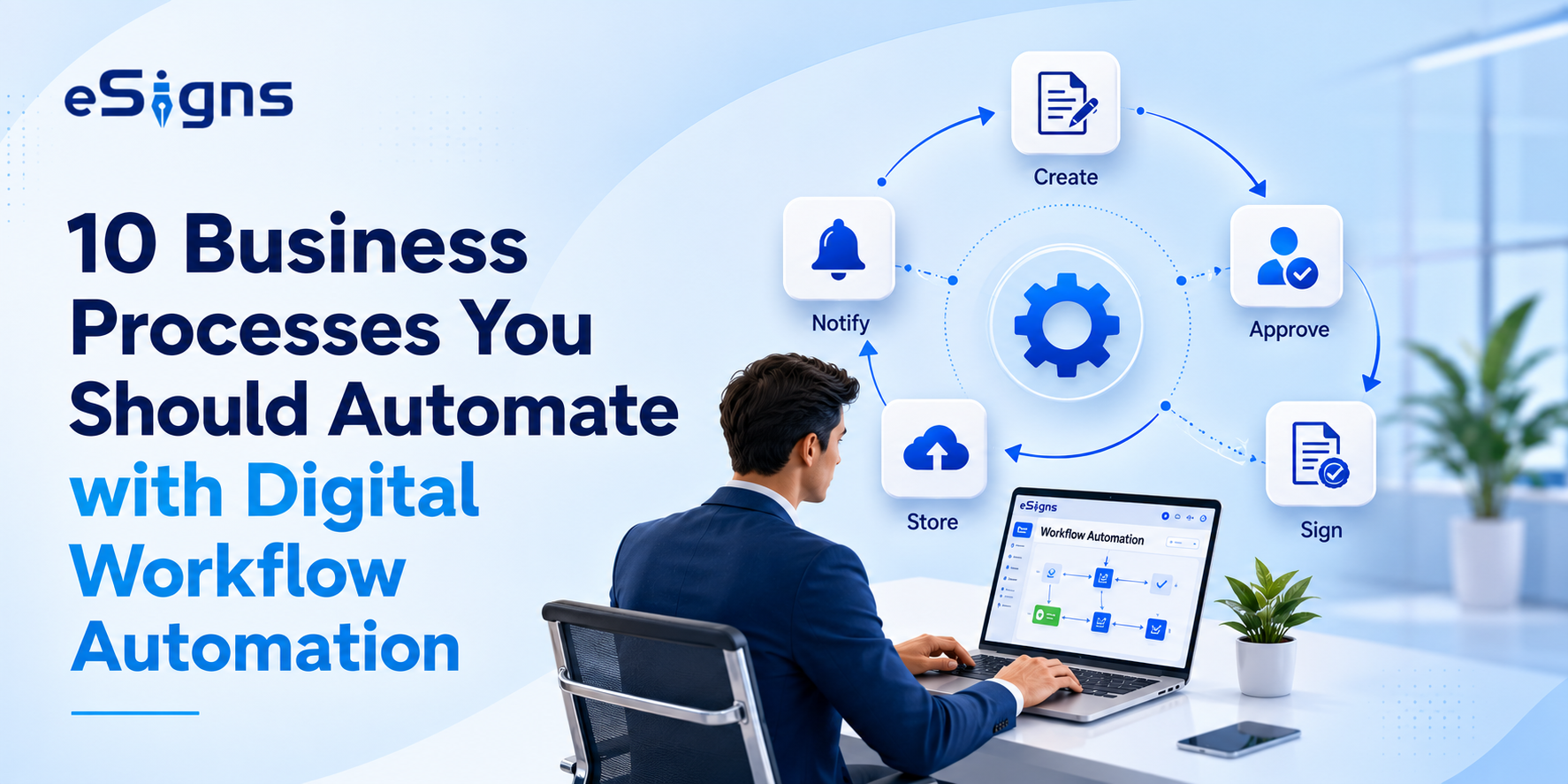
Businesses are often frustrated with repetitive tasks in their daily routine. To reduce challenges like manual data entry, printing, scanning, sharing, and chasing signatures from stakeholders, companies should automate business processes.
Numerous business document processes can be automated via business process automation tools like eSigns.io and others. If you’re eager to know what the top 10 business processes are that businesses should automate with digital workflow automation software?
Dive into this ultimate blog and streamline your day-to-day business operations effortlessly.
Why Digital Workflow Automation Matters in 2026?
In today’s competitive tech world, businesses require faster approvals, stronger compliance, and better collaboration. These days, employees, clients, or partners are often working from various regions; hence, managing documents manually becomes tough.
To eliminate the repetitive tasks and concentrate on activities that matter, organizations are switching to business process automation (BPA). This helps businesses automate document workflows and get approvals with no delays and manual intervention.
Hence, digital workflow automation is booming in 2026. Businesses who adopts to modern solutions like AI-powered document management system, electronic signatures, RBAC, centralized repositories, real-time tracking, and detailed audit trails improve productivity across departments.
Top 10 Business Processes You Should Automate Using Workflow Automation Software
Document workflow automation software plays a key role in enhancing business operations. Here are the ten business processes that companies are seeing as the quickest and most effective impact on operational growth.
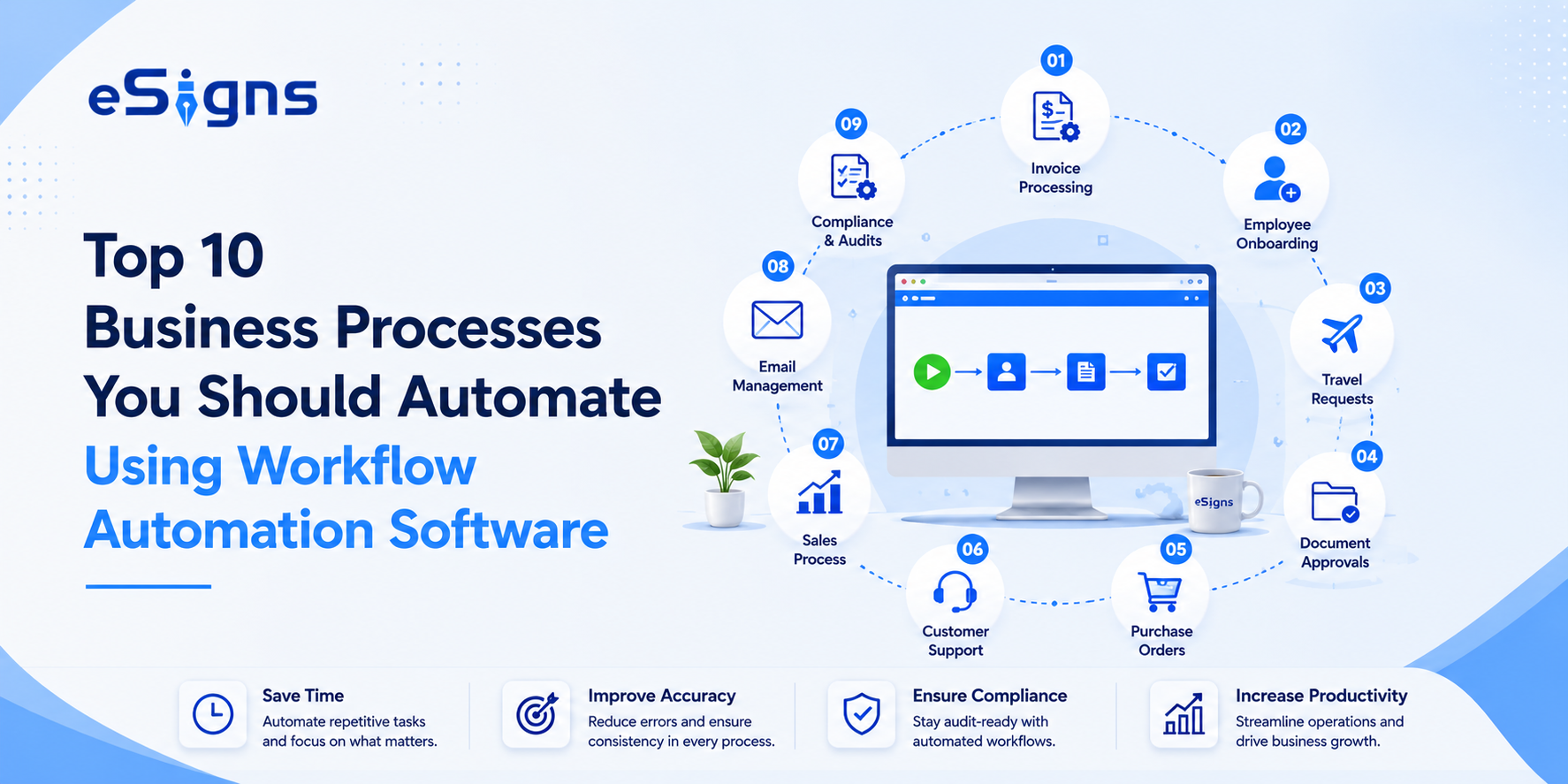
1. Employee Onboarding
Every new hire paperwork piles up the documents like onboarding forms, tax forms, and policy acknowledgments in all sectors. Thus, automating the employee onboarding process could help recruiters and new employees experience a smooth & effortless onboarding on day one.
2. Contract Approval & Signing
In every business, contract approval involves legal review and multi-party signing. Often, the manual process of approving and signing the contract is time-consuming. Hence, smarter workflow automation allows companies to automate approval workflows with timely reminders to the right parties.
3. Invoice Processing
Chasing payments manually? Simply share invoices to the right person automatically using a Document automation platform like eSigns.io. As a result, it reduces late payments and manual follow-ups, and keeps industries audit-ready.
4. Purchase Order Approvals
Delayed purchase orders slow down entire supply chains. Adopting automated workflows allows industries to send POs directly to the correct approver as per the amount or department, reducing approval delays from days to hours.
5. Employee Leave & Attendance Requests
Leave requests are simple in theory but painful in practice when handled through email threads or spreadsheets.
A smarter staffing automation setup allows employees to submit requests digitally, gets instant manager visibility, and receives automatic approval or rejection notifications.
6. Vendor Management
Vendor onboarding documentation includes collection of personal docs, contracts, tax documents, NDAs, compliance forms, and multi-party approvals.
From onboarding new vendors to renewing contracts, AI-Powered EDMS offers automated workflows that ensure secure documentation and hassle-free vendor management every time.
7. Customer/Client Onboarding
Whatever the situation, first impressions matter. Manual client onboarding these days creates a poor experience. Businesses that automate the client onboarding process with eSigns Document Workflow Automation complete everything faster, smoother, and smarter.
8. Document Review & Approval
One more important business process is reviewing internal reports, policy updates, and proposals from multiple parties before approving the contract or agreement.
Implementing smarter document automation for such a process reduces turnaround times and routes documents in sequence with role-based version controls.
9. Compliance & Audit Documentation
Regulatory requirements demand accurate, traceable records. A well-structured Electronic Document Management System keeps timestamped approval trails ready for audits, without manual filing.
10. Sales Proposal & Quote Approvals
Sales teams in every industry waste time on manually sending quotations and chasing for approval signatures. By automating this business process with a DMS or CRM, it tracks every action related to sales proposals and manages them automatically. As a result, it closes deals faster.
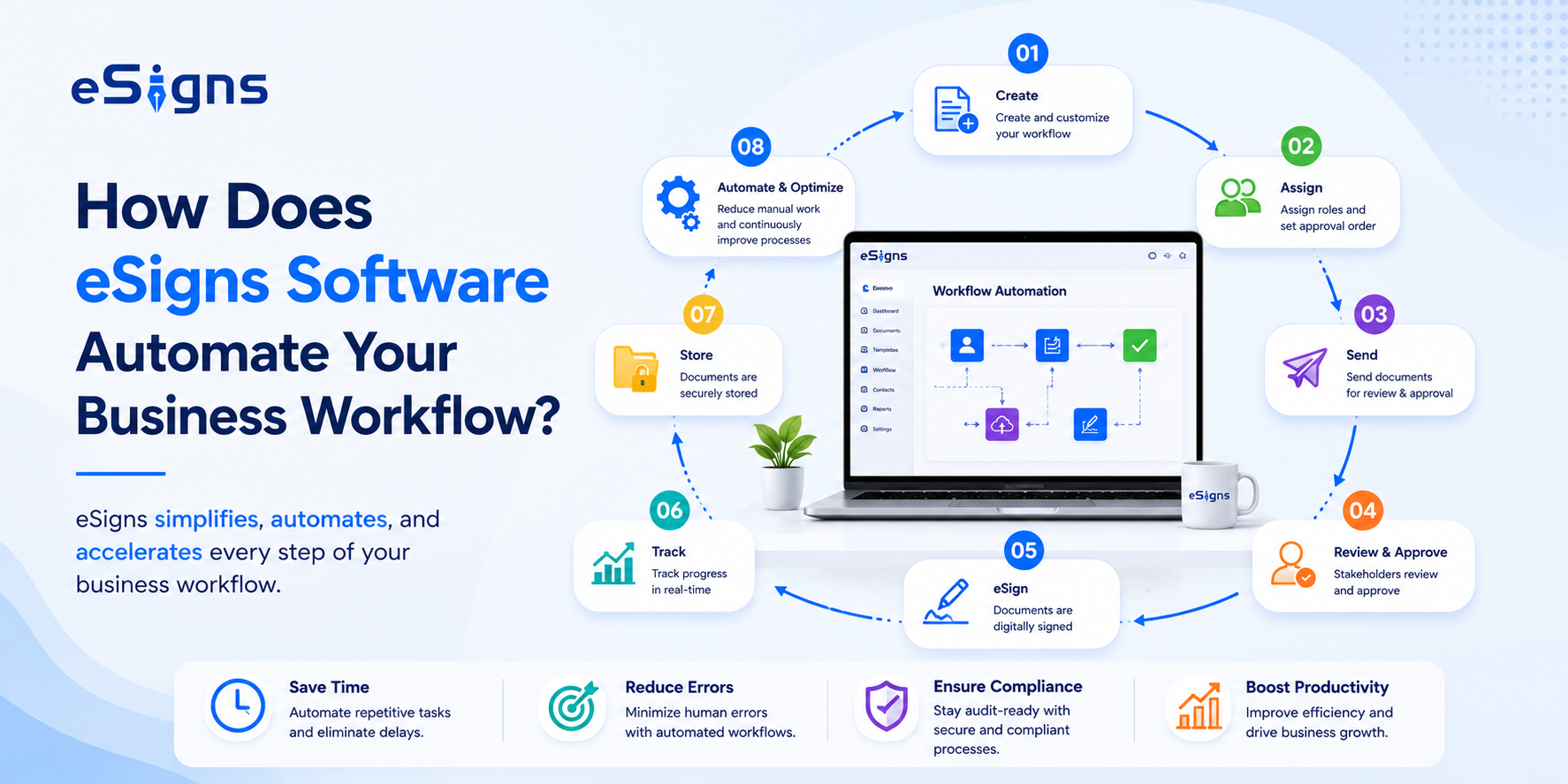
How Does eSigns Software Automate Your Business Workflow?
True Business Process Automation isn’t just about typing your name on a screen. It’s about managing the whole life of a document in one easy place.
eSigns.io brings these workflows together under one platform. The combination of digital workflow automation & eSignature software, customized approval chains, and real-time tracking means documents can move from creation to completion without manual relay.
Enterprises handling high volumes of paperwork can accelerate the signing process digitally without compliance risks by adopting eSigns Gen AI document management solutions, including AI document creator and eSigns AI Signature Generator.
Also, eSigns Gen AI Document Management System helps businesses draft, create, format, and organize documents automatically and seamlessly. Firms can plug automated workflows directly into their existing CRM, HR, or finance software using flexible eSigns eSignature API Integration.
Key Benefits of Business Process Automation (BPA)
Companies embracing business process automation can experience faster approvals along with further upgrades. With the help of eSigns digital workflow automation software, businesses can:
- Eliminate repetitive tasks and manual workload
- Boost contract approvals and decision-making
- Minimize human errors
- Improve collaboration across departments
- Strengthen compliance with complete audit trails
- Keep documents organized in one secure location
- Enhances customer and employee experience
- Saves operational costs over time
- Increases overall productivity
- Supports business growth without increasing administrative workload
Final Thoughts
At last, eSigns Electronic Signature Software and Digital Workflow Automation Software streamlines business operations and eliminates unnecessary bottlenecks.
Whether it’s employee onboarding, customer contracts, invoice approvals, or vendor documentation processes, eSigns AI EDMS automates every workflow seamlessly.
eSigns Gen-AI-powered Document Management System helps business owners, employees, clients, and partners create, review, edit, send, and sign documents online and simplify daily operations with efficient workflows.
Check our updated blog page for the latest eSignature DMS solutions to manage your business processes efficiently.
FAQs
Q1. What is digital workflow automation, and how is it different from manual processes?
A. Digital workflow automation is a tool that automates business operations from document routing to signing. Automated workflows eliminate repetitive tasks like manual follow-ups, paper-based or wet signatures, and offer full visibility with a centralized dashboard.
Q2. Can I automate workflows without coding or technical expertise?
A. Yes, you can automate workflows without a single line of code. There are various digital-first workflow automation platforms, like eSigns, which offers a no-code workflow system for businesses to manage document activities from HR to the operations team with no technical skills.
Q3. How secure is automated workflow processing for sensitive business documents?
A. Automated workflow processing is highly secure for confidential business documents. It safeguards documents with end-to-end encryption, role-based access controls (RBAC), audit trails, and a centralized digital repository. Hence, helping businesses maintain data security and regulatory compliance.
Q4. What types of business processes can be automated using eSigns.io?
A. The eSigns.io EDMS platform supports automation for contracts, employee onboarding, invoices, purchase orders, vendor management, compliance documentation, sales proposals, and basically any business operations that involve document workflows, document signing, or approvals.
Q5. How does workflow automation improve compliance and audit trails?
A. Workflow automation improves compliance and audit trails by tracking every action performed on the document from creation to signing and sharing to storing with detailed log history. This eliminates human error and compliance risks and makes your documentation process audit-ready.