
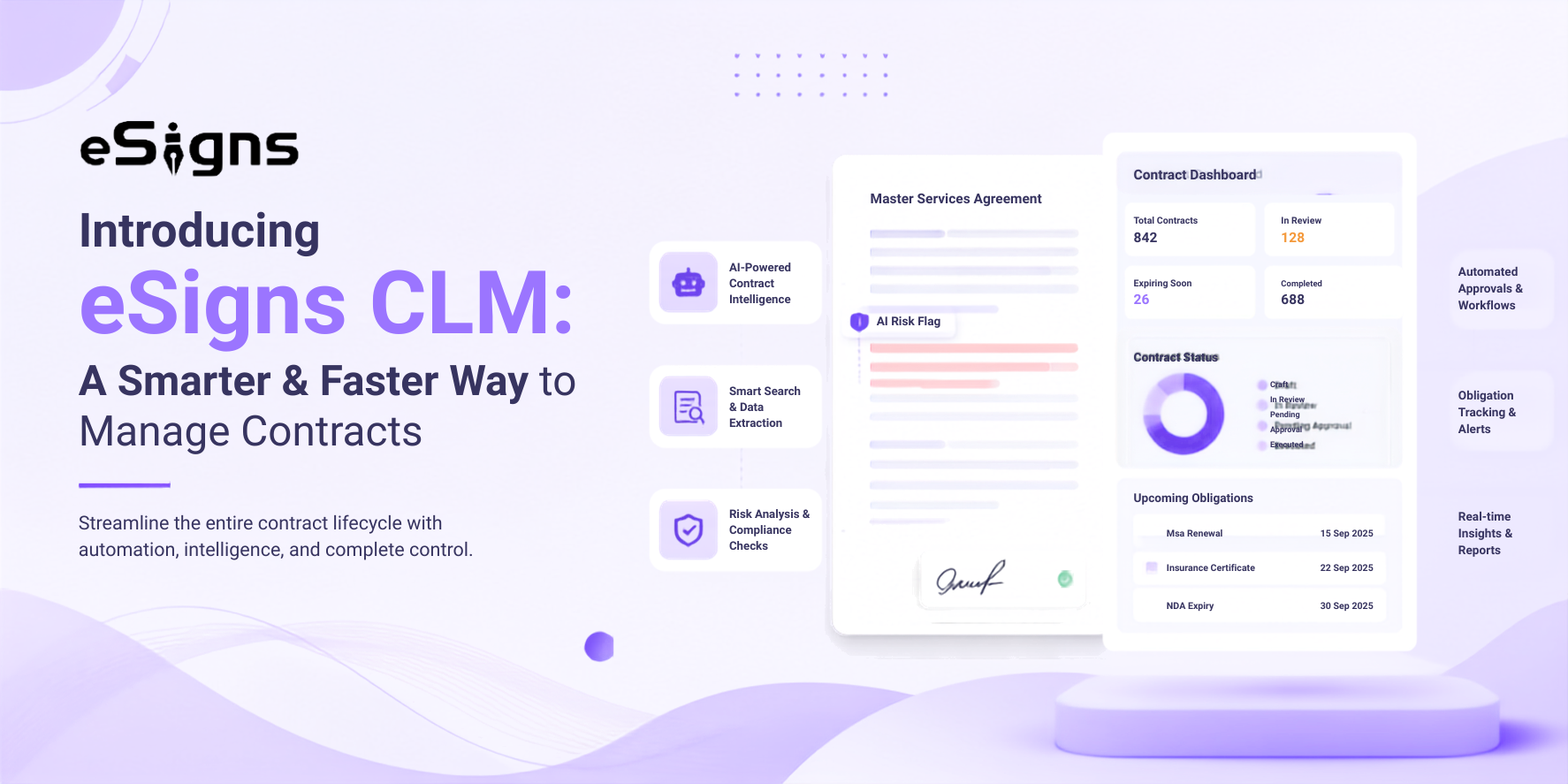
What breaks when contract work lives outside your signing tool?
If you sign in eSign Software, but the four stages- request, approval, negotiation, and revision before signing still run on manual handoffs, that’s where cycle time accumulates & disputes start.
Not anymore! eSigns CLM today handles signing, automated document workflows, real-time status tracking on a dashboard, and auto-reminders, all in one system. Contract cycle time is the total elapsed time from a request through execution, including all drafts, reviews, and approvals.
Based on the Gartner peer insights, contract lifecycle analysis identifies five measurable stages where delay accumulates, and only the last stage falls inside a signing tool:
- Request to Draft – time from a business user’s request to a reviewable draft
- Creation to Approval – time to complete internal legal and financial review
- Send for Negotiation to Ready for Signature – time to finish counterparty negotiation
- Revision to Approval – time to address returned redlines and resend
- Send for Signature to Signature – time from dispatch to a completed signed contract
The stakes are legal, not just operational. The American Bar Association found that 60% of corporate lawsuits are contract-related. When the first four stages happen outside a system of record, no one can see where a contract sits or why it stalled.
However, eSigns contract lifecycle management extends the platform backward to cover all five stages. Dive in and explore the smarter eSigns contract management solutions, right from Employment Contract Templates to contract approvals.
What is Contract Lifecycle Management, stage by stage?
Contract lifecycle management software automates the entire contracting process, from creation, approval, execution, renewal, and obligation tracking, not just the signature. The contract lifecycle has six stages: initiation, creation and negotiation, approval, execution, ongoing management, and renewal.
eSigns AI-Powered eSignature CLM maps a named capability to each.
|
Lifecycle stage |
What happens |
eSigns CLM capability |
|
Initiation |
A contract is requested |
Contract types and structured contract details |
|
Creation |
A draft is authored from a template |
Reusable templates, clause library, AI-generated |
|
Drafting governance |
Clause use is controlled | Playbook rules, clause variables |
| Negotiation | Counterparty exchanges edits |
AI Redline Suggestions, version comparison, live activity feed |
|
Approval |
Internal stakeholders sign off | Approval rules, approval configuration, approval deadlines |
| Execution | The contract is signed |
Sequential and parallel signing |
|
Ongoing management |
Obligations and dates are tracked | Key dates and obligation tracking, reminder policies |
| Renewal | Upcoming expirations trigger action |
Escalation policies, notification templates |
Once initiation through renewal runs in one system like eSigns, you can see which stage a contract is in and act before a deadline passes, including renewal management with eSignature for Contracts.
How does eSigns CLM automate drafting and clause governance?
Drafting and clause governance are the stages that eSigns users manage entirely outside the platform today.
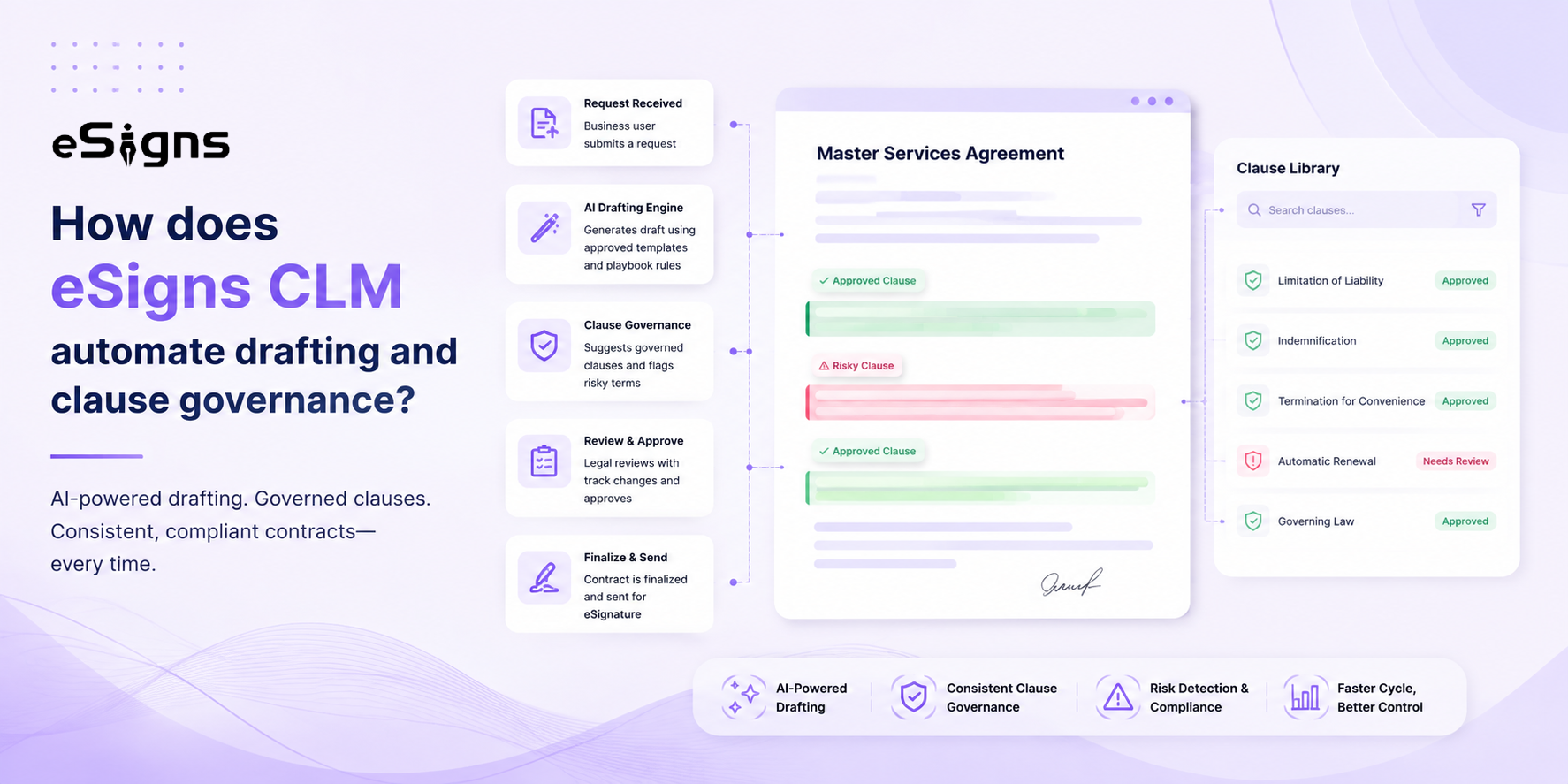
eSigns CLM brings authoring inside it, so a draft starts from an approved template with governed language instead of a copied prior contract. This is the highest-value extension for an existing user because it removes the copy-paste step where errors and outdated clauses enter.
Draft
- Contract types and reusable templates standardize how each agreement type starts, extending the Resourceful Templates where eSigns are already preserved for instant reuse.
- AI generates draft contract content.
- AI-generated clause content produces clause language to drop into a draft.
- Structured contract details and financial details capture terms as data, not a buried essay.
- Party management assigns roles, such as internal party, external party (counterparty), signer, approver, CC recipient, and contacts – so everyone’s part is defined before the draft moves.
Govern
- A clause library with configurable clause types and clause variables gives every drafter the same approved language.
- Playbook rules govern how clauses are used, so non-standard terms don’t slip through unnoticed.
- Tags classify contracts for retrieval and reporting.
However, drafting creates the contract; governance ensures it stays within approved standards. eSigns’ Document Management System for Contract Efficiency helps teams organize, manage, and access contract documents throughout the workflow.
How do negotiation and approval get faster?
Negotiation and approval are where cycle time concentrates. However, Creation-to-Approval and Revision-to-Approval are two distinct bottleneck stages, both driven by handoffs that stall in inboxes.
eSigns AI-powered CLM keeps these exchanges inside the platform, so edits, versions, and sign-offs stay visible instead of scattered across email threads.
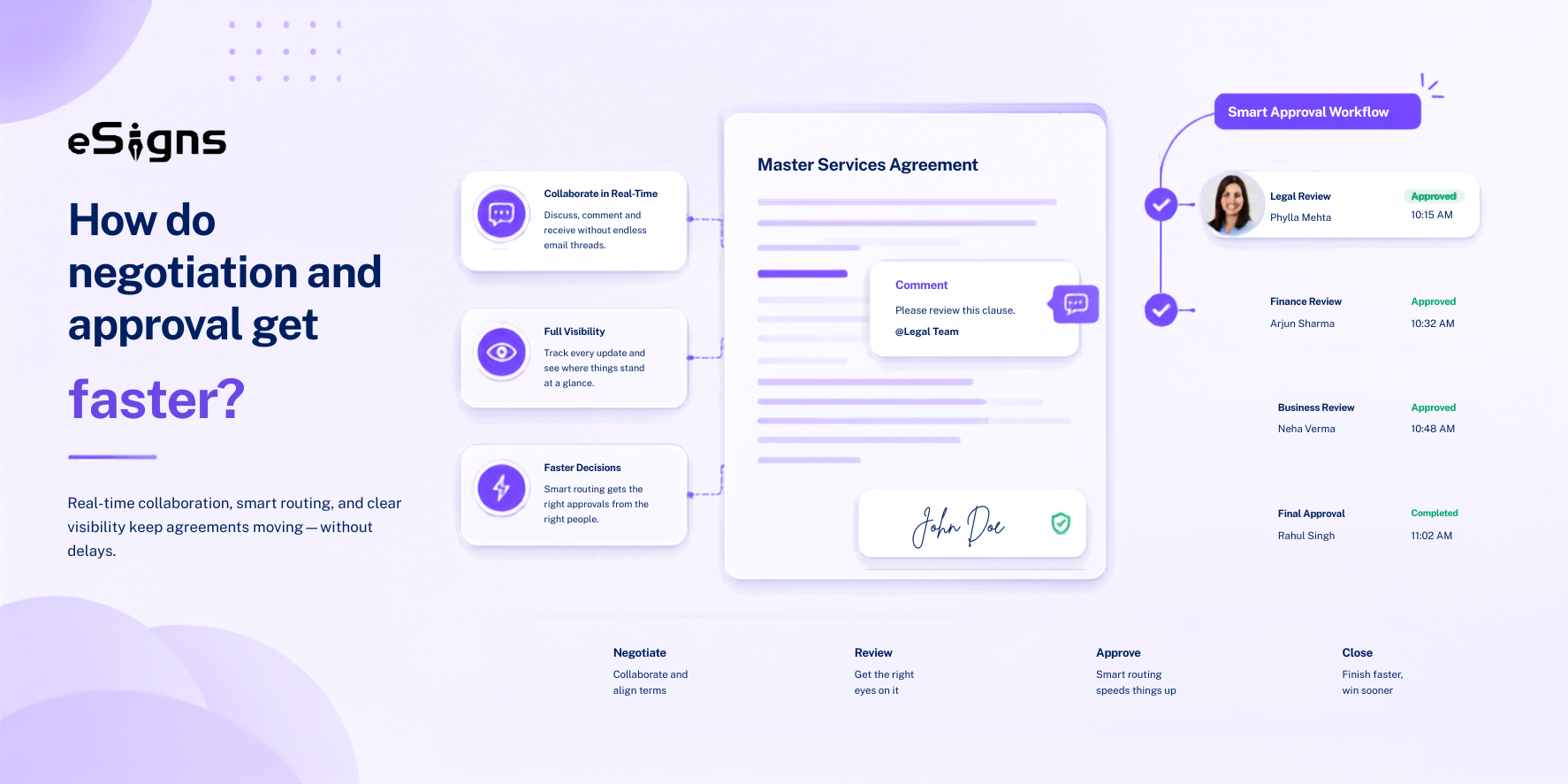
During negotiation, AI Redline Suggestions propose edits as the counterparty returns changes, and version comparison shows what moved between drafts. A live activity feed records who did what, attachments keep supporting files with the contract, and page visibility controls limit what external parties see.
Additionally, Contract Data Extraction helps turn essential contract data into a structured format for easier management and retrieval.
For approval, eSigns contract lifecycle management adds configuration that removes routing delay:
- Approval rules send each contract to the right reviewers.
- Approval configuration supports skip approval flow, manual approvers, and dynamic approvers.
- Approval deadlines put a clock on each sign-off.
- Approval delegation reroutes an approval when the assigned reviewer is unavailable.
This builds on the approval workflows and automated document workflow eSigns already offers at Business Essential and above, plus the collaboration that lets multiple stakeholders work at once.
What does the AI actually do here?
eSigns CLM includes seven named AI capabilities spanning drafting, negotiation, and analysis. The table names each and its purpose. The capability reference confirms these features exist but does not publish their accuracy, models, or supported languages, so those numbers are not stated here.
|
AI feature |
What is it for |
|
AI Chat |
Query your contracts conversationally |
|
AI Generate |
Draft contract content |
|
AI Redline Suggestions |
Propose edits during negotiation |
|
Contracts AI |
Provide contract-level intelligence |
|
AI Fields Extraction |
Pull structured data out of contracts |
|
Contract Risk Analysis |
Flag risk in contract terms |
|
AI-generated clause content |
Produce clause language for drafts |
How do contracts get tracked after signing?
Post-signature tracking is the stage most SMB signing tools drop, and it is where value quietly leaks. Poor contract management erodes 9.2% of annual revenue (Tracking Contracts).
eSigns Contract Lifecycle Management Software tracks obligations and dates after signing, so a renewal or milestone triggers action instead of passing unnoticed.
After execution, the eSigns AI CLM tool keeps each contract active as a managed record:
- Key dates and obligation tracking surface renewals, milestones, and commitments.
- Reminder policies and escalation policies alert owners before a date lapses and escalate if no one responds.
- Notification templates standardize those alerts.
- Contract lifecycle stages show where each contract sits post-signature.
- Tags, labels, and activity logs make any contract searchable and its history reviewable.
This extends what eSigns already does at signing: documents are sealed and tamper-proof, every Electronic Contract Signing carries a complete audit trail, and a real-time dashboard shows whether each document is signed, pending, expired, or declined.
Is eSigns CLM the right fit for your team?
eSigns AI CLM is built for growing SMBs and existing eSigns users who already sign digitally and now want to automate the pre-signature stages – not just enterprise legal departments.
eSigns’ electronic document management system supports startups, SMBs, and enterprises, making it a suitable, affordable CLM tool for teams.
Every eSigns plan produces legally binding signatures valid in over 180 countries and compliant with the ESIGN Act, UETA, and eIDAS. Likewise, eSigns CLM software helps businesses centralize, automate, and streamline the entire contract lifecycle with AI capabilities.
Frequently Asked Questions
Q1. What is the difference between eSignature software and contract lifecycle management software?
A. eSignature software automates the final stage: signing and tracking a completed document. Contract lifecycle management software automates the full process before and after signing: drafting, clause governance, negotiation, approval, execution, and obligation tracking. eSigns CLM extends from signing to all of those stages.
Q2. What are the stages of contract lifecycle management?
A. Initiation, creation and negotiation, approval, execution, ongoing management, and renewal are the six stages of the contract lifecycle. eSigns CLM maps a named capability to each, from contract types and templates at creation, through approval rules, to key dates and obligation tracking after execution.
Q3. Is eSigns CLM legally valid for signing contracts internationally?
A. Yes. eSigns provides legally binding digital signatures that are valid in over 180 countries and compliant with the ESIGN Act, UETA, and eIDAS. Signed documents are sealed and tamper-proof, and every signature carries a complete audit trail.
Q4. Does eSigns CLM integrate with our existing CRM, ERP, or procurement systems?
A. Yes. eSigns provides API integration support with existing HR, CRM, ERP, procurement, and SCM systems.
Q5. How does CLM software reduce contract cycle time?
A. CLM software attacks the five stages where delay collects – request-to-draft, creation-to-approval, negotiation, revision-to-approval, and signing. eSigns Contract Lifecycle Management software reduces cycle time by offering AI-assisted contract drafting, template creation, AI redline suggestions, version comparison for negotiation, and approval rules with deadlines for sign-off.
Q6. What does the AI in eSigns CLM do?
A. eSigns Contract management system includes AI Chat, AI Generate, AI Redline Suggestions, Contracts AI, AI Fields Extraction, Contract Risk Analysis, and AI-generated clause content. These cover conversational querying, drafting, negotiation edits, data extraction, and risk flagging.
Q7. How much does eSigns CLM cost, and is there a free trial?
A. eSigns AI contract lifecycle management software supports individual to business professionals with custom business enterprise pricing plans. eSigns offers a 30-day free trial, including CLM features.
Get Started with eSigns CLM
You already signed in to eSigns EDMS for Supplier Contracts. eSigns CLM extends that same platform backward into drafting, clause governance, negotiation, and approval – and forward into obligation tracking after signing.
Templates, a governed clause library, AI-assisted drafting and redlines, configurable contract approvals, and key-date tracking live in one place, valid across 180+ countries.
Start your free trial or request a demo to see how eSigns contract management software automates the entire lifecycle phases you currently manage manually.