
Today’s businesses are relying on digital solutions to upgrade their workflows and stay ahead in this competitive world. Nowadays, demand for secure & smart document management solutions, such as automation, eSignatures, and digitization, is high in the market.
Embracing & incorporating advanced document workflow automation and secure digital signature software helps small- to large-scale enterprises achieve smarter, faster, and more efficient business operations.
Platforms like eSigns.io and DocuSign are leading the market by offering cloud-based eSignature software and digital document management for enterprises. Want to know which one is best for your business transformation?
No worries! This eSigns vs DocuSign blog is all about key differences between them, including features, pricing, workflow powers, ease of use, and business use cases.
At the end of this comparison blog, you’ll have the best choice of eSignature software for your operational needs in 2026.
What is eSigns?
eSigns is a cloud-native electronic signature software with an AI-driven document management platform. It helps businesses automate and digitize everyday operations with ease. eSigns.io’s electronic document management system is an affordable and user-friendly platform suited for SMBs and large enterprises.
Now, companies using eSigns document workflow automation can create, edit, review, send, and sign documents online in a single platform. In the market, this platform is known for its cost-effective & centralized digital document management.
Key solutions like AI document creation, easy drag-and-drop fields, automated workflows, bulk send, flexible pricing plans, and instant eSignatures make eSigns stand out from DocuSign.
eSigns secure and audit-ready online signature software helps cost-centric startups, small and mid-sized businesses, and large firms across various sectors achieve faster approvals and seamless collaborations.
What is DocuSign?
DocuSign is a leading and global enterprise-grade electronic signature platform designed for digital agreements and contract lifecycle management. It offers end-to-end solutions for eSignature in various industries such as legal, healthcare, and real estate.
While DocuSign focuses more on eSignatures, DocuSign alternatives like eSigns.io think beyond eSigning and offer complete document automation workflow management.
Now, you can explore the scenarios where eSigns and DocuSign tools are going to be the right choice for your business in 2026.
eSigns & DocuSign Core Features Comparison
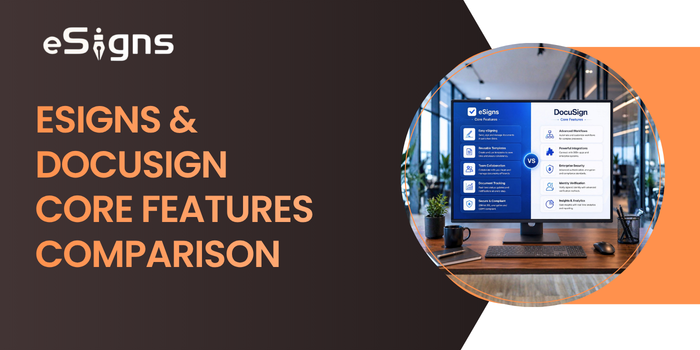
Here is the detailed comparison between eSigns and DocuSign features to learn which is the best eSignature service provider for your business workflows and operational efficiency.
1. Electronic Signature & Document Signing
- eSigns: Offers an easy drag-and-drop interface with securely encrypted multi-document signing and batch processing.
- DocuSign: Delivers advanced eSignature services with multi-channel delivery, collaborative commenting, and a mobile-first experience.
Key Difference: Overall, eSigns highlights the clear and streamlined signing workflows, while DocuSign offers broader delivery and collaboration options.
2. Centralized Document Management
- eSigns: Provides a cloud-based, centralized digital repository with reusable templates, role-based version controls, and a unique identity verification feature for document organization.
- DocuSign: Offers Navigator AI-powered search, agreement analytics, centralized agreement hub, and renewal tracking
Key Difference: DocuSign focuses on delivering AI-powered insights, whereas eSigns concentrates on streamlining data management with secure & ease of use options.
3. Workflow Automation
- eSigns: Helps companies achieve faster document approvals via simple no-code automation workflows, flexible approval routing, and smoother document workflow management.
- DocuSign: DocuSign offers more advanced workflow automation, like Maestro. Also, it enables firms to manage complicated multi-user workflows and pre-built applications effortlessly.
Key Difference: Majorly, DocuSign’s Maestro specialises in more complex no-code automation techniques; eSigns’ automated workflows are designed to simplify daily business operations easily accessible and efficient.
4. AI-Powered Features
- eSigns: Offers AI document creation, advanced data extraction, and sentiment-based document generation with an AI chat assistant, which helps users to create and manage documents seamlessly.
- DocuSign: Delivers strong AI-powered features like AI-Assisted Review, Iris Agreement AI, contract analysis, risk assessment, and intelligent insights for faster and smarter management.
Key Difference: Overall, eSigns AI Signature Generator focuses on document creation and management with AI solutions, whereas DocuSign streamlines contracts with deeper AI integration.
5. Security & Compliance
- eSigns: Provides strong encryption storage, two-step authentication, detailed audit trails, ISO certifications, and global compliance standards as per the company norms.
- DocuSign: Offers ISO 27001, FedRAMP, APEC PPP, CSA STAR, PCI DSS, SSAE 18, 256-bit encryption, and audit trails
Key Difference: When it comes to security, eSigns & DocuSign both stand on the same page. But DocuSign emphasizes enterprise-level compliance certifications.
6. Integration Capabilities
- eSigns: Offers businesses the ability to adopt basic integrations to eSign API Integration and direct connectivity.
- DocuSign: Provides over one thousand pre-built integrations, robust APIs, App Center, Salesforce integration, and cloud storage connectors.
Key Difference: Overall, eSigns help businesses with customized API integrations as per their requirements, whereas DocuSign delivers multiple native integrations for enterprises.
7. Mobile & Accessibility
- eSigns: eSignature software supports a mobile-responsive interface, cloud-based access, and cross-device compatibility.
- DocuSign: Offers a dedicated mobile app for both iOS and Android smart devices. Also, it supports mobile-optimized signing and offline capabilities.
Key Difference: A dedicated native mobile app with offline signing abilities is a highlight of DocuSign, whereas eSigns concentrates on web-based access with cross-device functionality.
eSigns & DocuSign Pricing Comparison
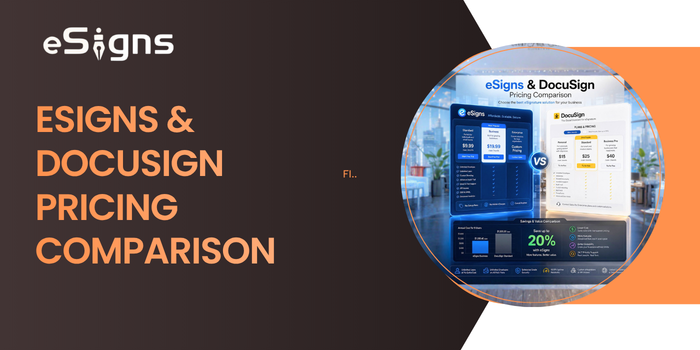
Every business person prefers the best electronic signature software with advanced features at a low cost. The below eSigns vs. DocuSign cost comparison data helps enterprises make the best choice and achieve business growth affordably and flexibly.
Pricing Model of eSigns.io
eSigns offers:
- Flexible, personalized, and business-friendly pricing plans based on company size and workflow requirements.
- Designed for startups, small and mid-size businesses, and large enterprises.
- Adaptable with both cloud-based and on-premises deployment options.
- 30-day free trial period with personalized elements.
- Overall, an affordable and transparent pricing structure for growing businesses.
Pricing Model of DocuSign
DocuSign offers:
- Scalable & customized subscription-based pricing plans.
- Tier-based pricing structure, including Standard, Premium, and Enterprise options.
- Flexible and premium add-on pricing plans available
- Custom enterprise pricing model
- Avail a 30-day free trial to experience the DocuSign solutions.
- Advanced IAM features & integrations at higher pricing tiers.
Industry-Specific Solutions & Business Use Cases
eSigns and DocuSign digital signature platforms are suitable for various sectors like manufacturing, real estate, healthcare, etc. Are you excited to know who is helping which industry with their eSignatures and automated workflow solutions?
Here’s a quick view of the industries that got supported by eSigns and DocuSign:
|
eSigns |
DocuSign |
|
Banking & Financial Services |
Financial Services & Banking |
|
Healthcare & Medical Records |
Insurance & Claims |
|
Staffing & HR |
Real Estate & Property |
|
Education & Academic Institutions |
Government & Public Sector |
|
Insurance & Claims Processing |
Healthcare & Life Sciences |
|
Hospitality & Guest Management |
Procurement & Supply Chain |
|
Manufacturing & Supply Chain |
Sales & Customer Experience |
|
Services & Logistics |
Legal & Compliance |
Key Advantages of eSigns Software:
Every eSignature platform comes with its own strengths and limitations. Understanding these differences helps businesses select the right solution based on their document management, automation, security, and collaboration needs.
Before comparing eSigns.io with DocuSign, let’s explore the key advantages that make eSigns.io a preferred choice for organizations looking to streamline document workflows, accelerate approvals, and enhance operational efficiency.
Advantages of eSigns.io:
1. Affordable pricing for small and medium-sized businesses
2. User-friendly and intuitive interface
3. Quick implementation with faster onboarding
4. AI-powered document creation and workflow automation
5. Secure electronic signatures with centralized document management
6. Streamlines paperless document workflows and approvals
7. Reusable document templates for faster document preparation
8. Real-time document tracking and audit trails
9. Bulk document sending for improved productivity
10. Role-based access control and secure document sharing
11. Cloud-based access from anywhere, on any device
12. Scalable solution for growing businesses across multiple industries
eSigns vs DocuSign: Side-by-Side Comparison Table
To make business decisions easier and more efficient, we have tabulated a quick side-by-side comparison of eSigns Vs DocuSign below.
|
Feature |
eSigns |
DocuSign |
|
Pricing |
Budget-Friendly |
Premium |
|
Ease of Use |
Very Easy |
Moderate |
|
AI Features |
Basic |
Advanced |
|
Pre-built Integrations |
Limited |
1,000+ |
|
Mobile Apps |
Web-based |
Native Apps |
|
Compliance Certifications |
Comprehensive |
Extensive |
|
Enterprise Features |
Limited |
Extensive |
|
Setup Time |
Fast |
Moderate |
|
Customer Base |
Growing |
1.7M+ |
|
Best For |
SMBs & Startups |
Enterprises |
Hoping that the above table helped businesses select the best eSignature document management system for their automated operational workflows.
eSigns vs DocuSign: Which eSignature Software Should Your Business Choose in 2026?
Hence, this detailed comparison of eSigns and DocuSign features, pricing, use cases, workflow automation, integrations, and more helps businesses choose the best eSignature software.
eSigns is the best pick for startups, SMBs, and growing businesses as it offers a wide range of smart, AI-powered solutions to streamline daily operations at affordable pricing. This user-friendly online signature software supports various industries with faster approvals and seamless workflow automation.
On the other hand, looking to upgrade your business with robust integrations and refined agreement management solutions? DocuSign is the go-to platform. It has a subscription pricing model to manage complex document operations.
At last, check out this eSign Guide 2026 on eSigns vs DocuSign and experience smarter workflows, faster approvals, and improved business growth via a secure electronic document management system.
FAQs
Q: Which platform is easier to use: eSigns or DocuSign?
A: eSigns is an easy-to-use platform because of its user-friendly interface, quick setup, and simplified document workflow with instant eSignatures. The DocuSign platform is a little complex to use as it possesses enterprise-level features.
Q: Which eSignature software is better for startups?
A: eSigns electronic signature DMS is the perfect tool for startups and SMBs with affordable pricing, faster onboarding, and hassle-free document workflow automation solutions.
Q: Why choose eSigns over DocuSign?
A: Businesses choosing eSigns over DocuSign benefit from Gen-AI-powered document management software at personalized & cost-effective plans.
Q: Which digital signature software is more affordable: eSigns or DocuSign?
A: In comparison to DocuSign & other DocuSign alternatives, eSigns software is more affordable as it offers flexible and budget-friendly pricing options for all sizes of businesses.
Q: Which one offers faster onboarding: eSigns or DocuSign?
A: eSigns offers easy-to-use workflow features that lead to faster onboarding and implementation processes for small- to large-scale businesses.