
Are you wondering how to sign a document on iPhone when you are away from the office and have missed deadlines? No more worries! Your critical sales contracts, HR form, or vendor agreements can be signed instantly via smart devices.
Traditional signing methods slow down business operations. However, with advanced tools or software like eSigns eSignature for iPhone, no more signing bottlenecks or delays. It helps iOS users eSign documents on iPhone and iPad, reduce manual workload, save time, and boost approvals.
Explore this ultimate eSignature on iOS guide to understand how built-in tools and eSignature platforms like eSigns can sign documents on iPhone. Dive into this informative blog and fulfill agreement signing before deadlines with a secure electronic signature app for iPhone.
Why Use eSignature in iPhone: Benefits & Use Cases
Signing documents using an electronic signature on iphone is easy, flexible, and effective for individuals and business professionals.
Want to know the key benefits and use cases of eSignature using iPhone & how to sign documents online using eSignature software? Let’s continue your read:
Essential Benefits of eSignature Software for iPhone:
Incorporating electronic document management systems like eSigns.io for iPhone is very beneficial for businesses. Also, it helps with:
- Instant document signing from anywhere
- Faster approvals and workflow efficiency
- Secure and legally valid signatures
- Reducing the costs of printing or scanning documents
Common Use Cases of eSignature in Various Industries:
Checking out industry-based use cases of digital signature software helps iOS users understand what digital signatures are and how to eSign documents on iPhone –
Here are the common ones:
- All business contracts & agreements that accept eSignatures.
- HR onboarding forms and vendor contracts
- Legal and financial document signing workflows
- Real estate documentation from scratch
- Freelance and client approvals
In all these scenarios, online document signing on iPhone is possible if you opt for eSigns eSignature API Integration for iPhone.
As a result, an electronic signature on iPhone supports various sectors, simplifying document signing workflows on the go and boosting operational efficiency.
Key Features to Look for in eSignature Software for iPhone
The following are a few key features to look for while adopting the best electronic signature software for iPhone:
- Electronic document management systems to create, store, sign, and manage business files.
- Multiple signature options like drawing, typing, and uploading.
- Advanced encryption & data privacy techniques for secure document management.
- Audit trails & IP tracking for easy document routing and transparency.
- Multi-user signing for boosting team collaboration and productivity.
- eSignature API Integration for business document workflows automation.
- Supports multiple formats, like PDF, Word, PNG, and DOC, for secure signing.
- Mobile-friendly access anytime, anywhere via iOS, Android, or other smart devices.
Overall, digital signature software with the above features ensures strong data security and smoother document workflows.
Different Ways to Sign a Document on iPhone – Step-by-Step Guide
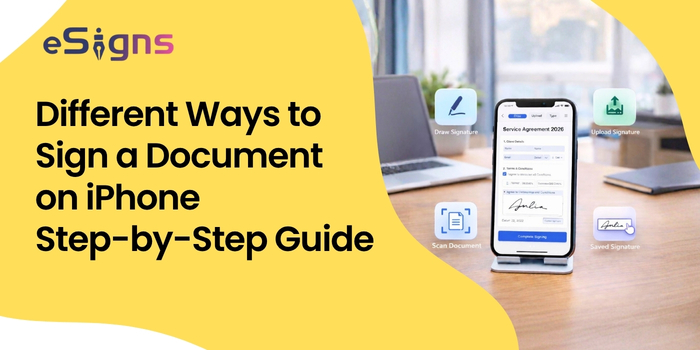
To sign a document on iPhone effortlessly, you can go through the mentioned ways and follow the step-by-step process:
1. Using Built-in iOS Markup Tool in Notes & Photos
iPhone apps like Notes and Photos have a built-in feature called ‘Markup’. It helps iOS users to sign PDF documents on iPhone effortlessly.
Here are the detailed steps on how to add your signature using iPhone Markup feature:
Step 1: First, open the document in the supported app and use the markup tool to sign a document on iPhone.
Step 2: Tap on the ‘+’ icon, then click on the ‘Add Signature’ option.
Step 3: Use your finger and type your signature. Also, you can edit it by tapping on the ‘Clear’ option.
Step 4: Tap ‘Done’ after placing and resizing the signature.
Step 5: Finally, you can save, share, and use your signature to sign a document on iPhone.
Overall, this method is simple and quick to sign documents online via iPhone without third-party apps.
2. eSignature on iOS with Apple Photos (Images)
Wondering how to create an electronic signature on iPhone using the Photos app? Look at these simple steps:
Step 1: To add eSignature iPhone, simply open the document paper in the Apple Photos app.
Step 2: Tap on the ‘Edit’ icon, then click on the ‘Markup’ option.
Step 3: Next, the option to choose is ‘Add Signature’.
Step 4: Choose the option available and suitable to create an electronic signature on iPhone.
Step 5: Once you’re done with signing, place it on the image and save.
Finally, signing a document with the iPhone Photos app is useful to add an eSignature for image-based documents.
3. Add Signature Digitally via eSignature Software on iPhone
Signing documents or images through the markup feature and the Photos app is limited to a basic eSign solution. However, the eSignature app for iPhone offers various advanced features to sign and manage documents seamlessly.
Step 1: Select the best eSignature software for iPhone, like eSigns.io
Step 2: Download the iOS app on your device.
Step 3: Log in to the app with your authorized credentials and upload your document.
Step 4: Add your signature via draw, type, or upload methods.
Step 5: Drag-and-drop the signature field and place your saved eSignature in the document.
Step 6: Finally, store, send, or download the signed document using centralized electronic signature software.
eSigns electronic document management system helps you complete this whole process of document signing on iPhone effortlessly and affordably.
For detailed information on how eSigns support business with advanced online signature solutions, check out the section below.
How electronic signature software helps business professionals
Business professionals benefit in various aspects from professional digital signature software like eSigns.
With eSigns AI signature generator, you can:
- Create documents of all types in seconds via the AI document creation feature.
- Automate Digital Workflows easily
- Sign documents online via integrated eSignature software.
- Store and manage documents in one centralized digital repository.
- Share documents effortlessly via GetLink or BulkSend.
- Track and approve contracts with secure encryption and IP tracking.
eSigns online document management with eSign software is ideal for businesses that involve speed, security, and scalability.
How to Sign PDF Documents on iPhone?
Here is the best way to sign documents on iPhone in PDF format:
- At first, upload or open the PDF document via files, mail, or an eSign app for iPhone.
- Tap on available signing options like Markup or Sign.
- Create & add your signature to your iOS device.
- Place the added signature in the required section of the document.
- Save or share the signed document on time.
A cloud-based and centralized electronic document management system like eSigns.io makes signing PDF documents on iPhone easier with its advanced features. Hence, adapt to the modern eSignature DMS solutions and streamline document workflows.
Conclusion
Now, if you’re using built-in tools, apps, or professional platforms, handling document signing on iPhone is faster and easier. Today’s informative guide on how to sign a document on iPhone sheds some light on clarifying your queries.
However, individuals and business professionals can use a markup tool or smart digital signature software to sign documents online. Signing files using eSigns electronic signature software provides better security and boosts operational efficiency.
Simply switch to online signing on your iPhone via the methods above to save time managing documents more effectively. Visit our latest eSign Guide 2026 for detailed knowledge on signing documents electronically.
FAQs
Q. How to add an electronic signature on iPhone?
A. Use the Markup option in Notes & Photos, or eSignature software to create and add your e-signature digitally on iOS devices.
Q. How to add my signature in images (Apple Photos)?
A. Open the image → Tap Edit → Markup → Add Signature →
Place signature in image → Save and share.
Q. Do iOS devices support eSignature?
A. Yes, iOS devices support electronic signatures via built-in tools like Markup, Photos, and other third-party apps.
Q. How to sign a document on iPhone without Markup?
A. You can use e-Signature apps or platforms like eSigns.io to sign documents online without using Markup.
Q. How to sign PDF documents on iPhone?
A. Open the PDF Doc → Use Markup or an eSignature app → Add signature → Save or share.