
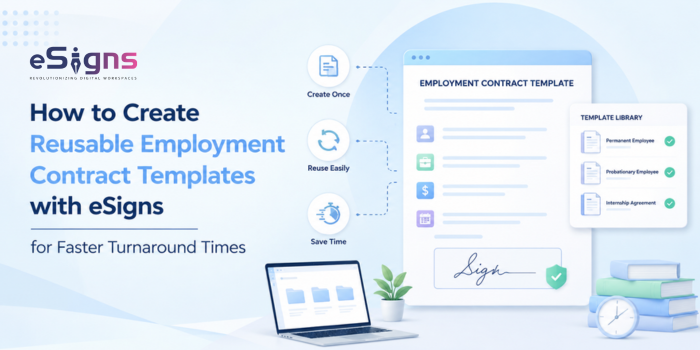
If your HR team is still rebuilding offer letters and employment contracts from scratch for every new hire, you already know the cost. It wastes hours, creates inconsistent language across contracts, version confusion, and delays the hiring process.
But Employment Contract Templates fix this. With this, you can create the structure once and reuse the document templates for every new hire. However, eSigns Workflow Automation allows your teams to focus on recruitment rather than manual paperwork.
Why Modern HR Teams Need Reusable Employment Contract Templates in 2026
For growing SaaS and B2B companies operating across multiple regions, manual contract creation can quickly become complicated. Hiring teams often use different versions of contract templates, making it difficult to keep every agreement accurate and consistent.
A reusable template helps companies maintain legal language and allows changing main elements, such as name, title, company, start date, and more. That’s the main reason why modern HR industries are shifting toward reusable templates and Electronic Contract Signing in 2026. It even supports remote or hybrid hiring models and eliminates print-sign-scan routines.
Core Elements Every Employment Contract Template Should Include
Is your company on the verge of digital transformation? Start implementing the contract templates with the eSigns Staffing Documents Automation and reduce your team’s workload. Here’s what you must include in an employment contract template to ensure it works best for both parties.
Role, Designation & Reporting Structure:
Title, department, manager, and core duties, kept as variable fields, not fixed text.
Compensation, Benefits & Payment Schedule:
Salary, bonus structure, and payment frequency, built with merge fields so numbers update without touching clause language.
Confidentiality, IP & Non-Compete Clauses:
The terms protecting company data and ownership of work product. Mostly static, with tighter versions for senior or specialized roles.
Termination, Notice Period & Probation Terms:
Notice periods, probation length, and grounds for termination, standardized to avoid disputes later.
Statutory & Compliance Clauses:
Leave entitlements, wage compliance, tax disclosures. These shift by jurisdiction, which is exactly why version tracking matters once a template’s in use across multiple states or countries.
How to Build a Reusable Employment Contract Template Using eSigns.io?
By following the simple steps below, you can easily create your reusable contract templates with eSigns AI Document Management System:
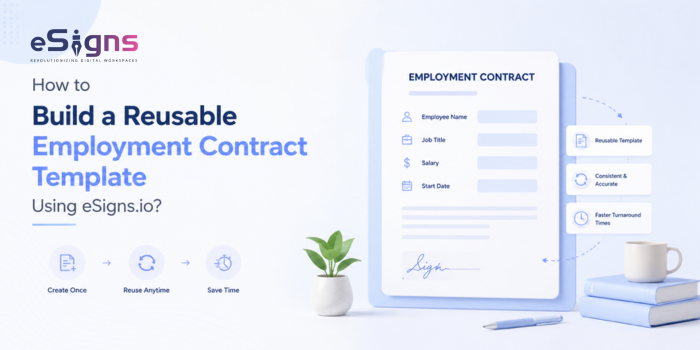
Step 1: Draft a Master Template with Fixed Clauses
Develop a master contract template with fixed legal clauses to ensure consistency, reduce errors, and simplify contract creation.
Step 2: Add Dynamic/Merge Fields for Role-Specific Details
Pull structured data straight into the contract via drag-and-drop fields instead of retyping it. This is where an eSigns EDMS setup earns its keep, cutting out copy-paste errors before they happen.
Step 3: Set Up an Internal Approval Workflow
Route contracts to a hiring manager or legal reviewer before they reach a candidate. For companies hiring at volume, this is often where staffing contract approvals stop being a hurdle and start moving faster.
Step 4: Send for Multi-Party eSignature
Trigger the pre-approved template instead of drafting something new, and let candidates, managers, and HR sign documents online in minutes, not days.
Step 5: Save, Reuse & Track Every Version
Store every signed contract with its version history in a digital repository – so you know exactly what was sent, to whom, and under which template. This one habit saves real pain during audits.
Best Practices for Managing Employment Contract Templates at Scale
Save one master version of each template. No side copies saved on someone’s desktop or in a shared drive. Control who can edit it. HR leadership and legal should be the only ones making changes to the template itself. Give send access but not edit access to the rest of the stakeholders.
Set a review schedule. Laws change, and templates that go two years without a check-in tend to fall out of compliance quietly. This matters even more for staffing and recruitment firms, where eSignature for Staffing Contracts & document automation tools aren’t optional extras – they’re what stops a few hundred monthly contracts from becoming an unmanageable spreadsheet.
Automate the follow-up work. eSigns electronic document management system can automate reminders and route contracts, so no one has to chase signatures manually. Once a contract is signed, you can even pull key details, like start date, salary, and renewal date, straight into your HRIS via eSigns Contract Data Extraction. No retyping, no missed fields.
Additionally, an AI-powered document management system can detect issues before they happen: a missing clause, an outdated template version, a contract that’s about to go out with last year’s terms. Paired with solid Electronic Signature Software, this turns template, approval, signature, and storage from five separate steps into one system that just runs.
Conclusion
Finally, reusable employment contract templates by eSigns.io aren’t just a time-saver – they keep pace with hiring without sacrificing accuracy or compliance. Fixed clauses, dynamic fields, built-in approvals, and secure eSignatures turn your complex, multi-day process into something that ships in a few hours.
eSigns brings template creation, approvals, and signing into one workflow, so the next contract creation ends in just minutes, not days.
FAQs
Q1. What should a reusable employment contract template include?
A. A reusable template should include role and reporting details, compensation and benefits, confidentiality/IP clauses, termination and probation terms, and statutory compliance clauses paired with merge fields for details that change per hire.
Q2. Is an eSigned employment contract legally valid?
A. Yes. Electronic signatures are legally recognized under laws like the ESIGN Act and UETA, as long as the signing process captures consent, identity, and an audit trail – which a proper eSignature platform runs automatically.
Q3. Can HR teams customize a template for different roles or locations?
A. Yes. HR teams can easily tailor the template for various roles and locations by keeping core clauses fixed and managing role- and location-specific field details as edited versions in the reusable contract template.
Q4. How does eSigns.io speed up employment contract turnaround time?
A. With the help of easy template creation, secure digital signatures, approval routing, and multi-party document signing features in one platform, eSigns accelerates employment contract turnaround time.
Q5. Who can edit or approve a contract template before it’s sent?
A. Companies can limit the editing and approving of contract templates as per their roles. By adopting eSigns.io, HR teams can fully configure templates via role-based access control.